
Verbinden mit der Garmin Navionics Boating App | Hilfe
- DBT (Depth below transducer)
- DPT (Depth)
- GGA (GNSS Position)
- GLL (GNSS Position)
- RMC (Minimum GPS sentence includes Position/Time/COG/SOG)
- VTG (COG and SOG)
- ZDA (Time and Date)
- VDM (AIS - Received Data from other vessels)
- VDO (AIS - Your own vessels information)
Um eine Verbindung hinzuzufügen, musst du das Menü öffnen, zu „Gekoppelte Geräte“ gehen und auf die Schaltfläche „+“ klicken. Bitte beachte die folgenden Screenshots.
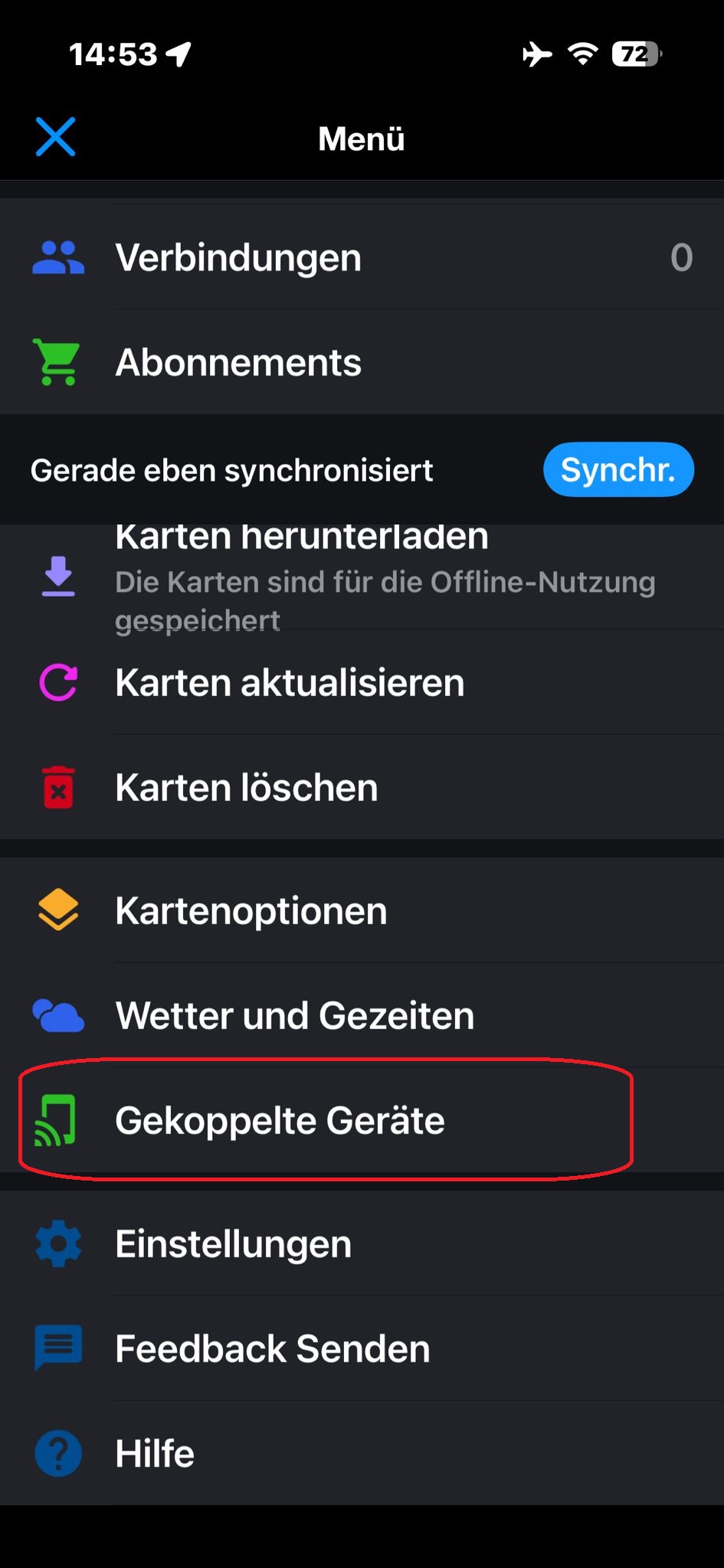
Schritt 1 – Gekoppelte Geräte
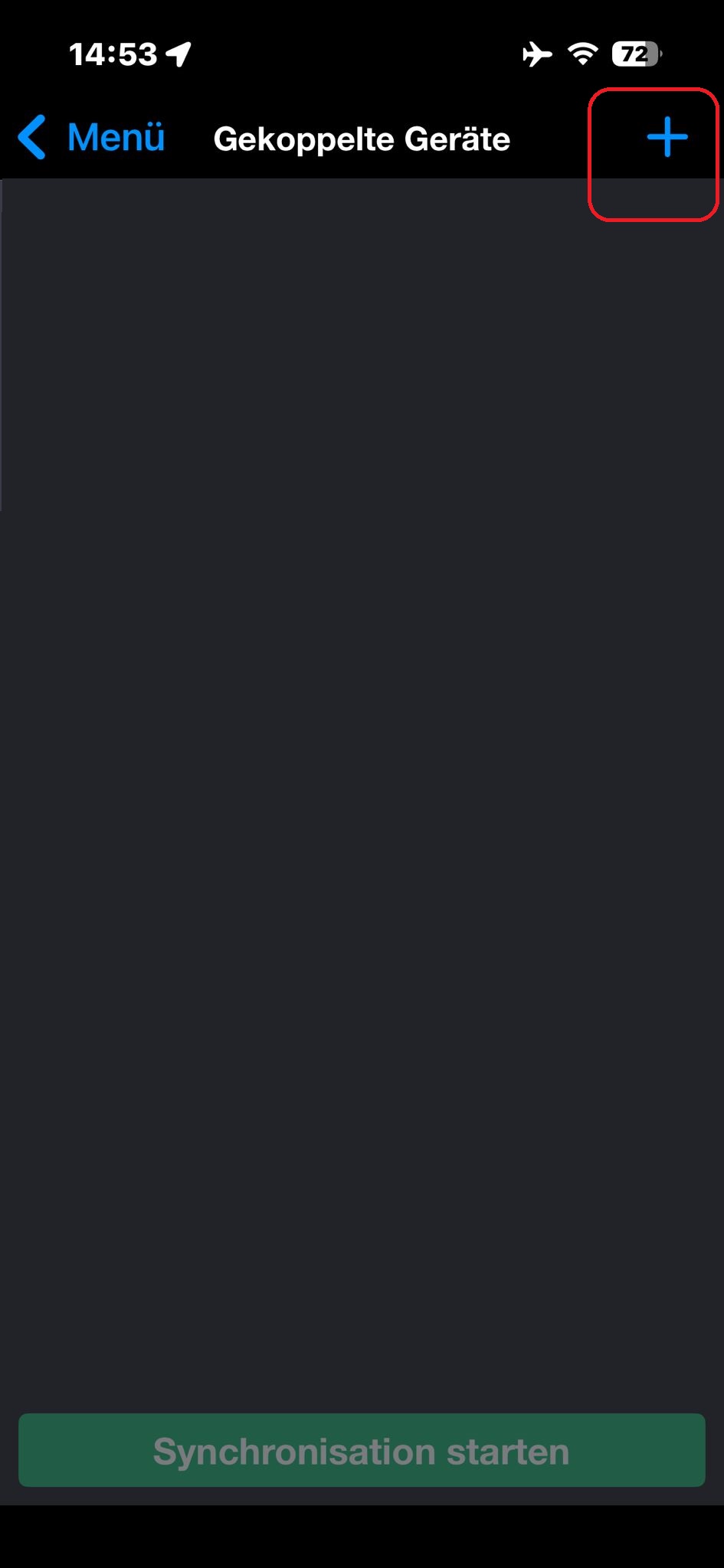
Schritt 2 – Auf die Schaltfläche „+“ klicken
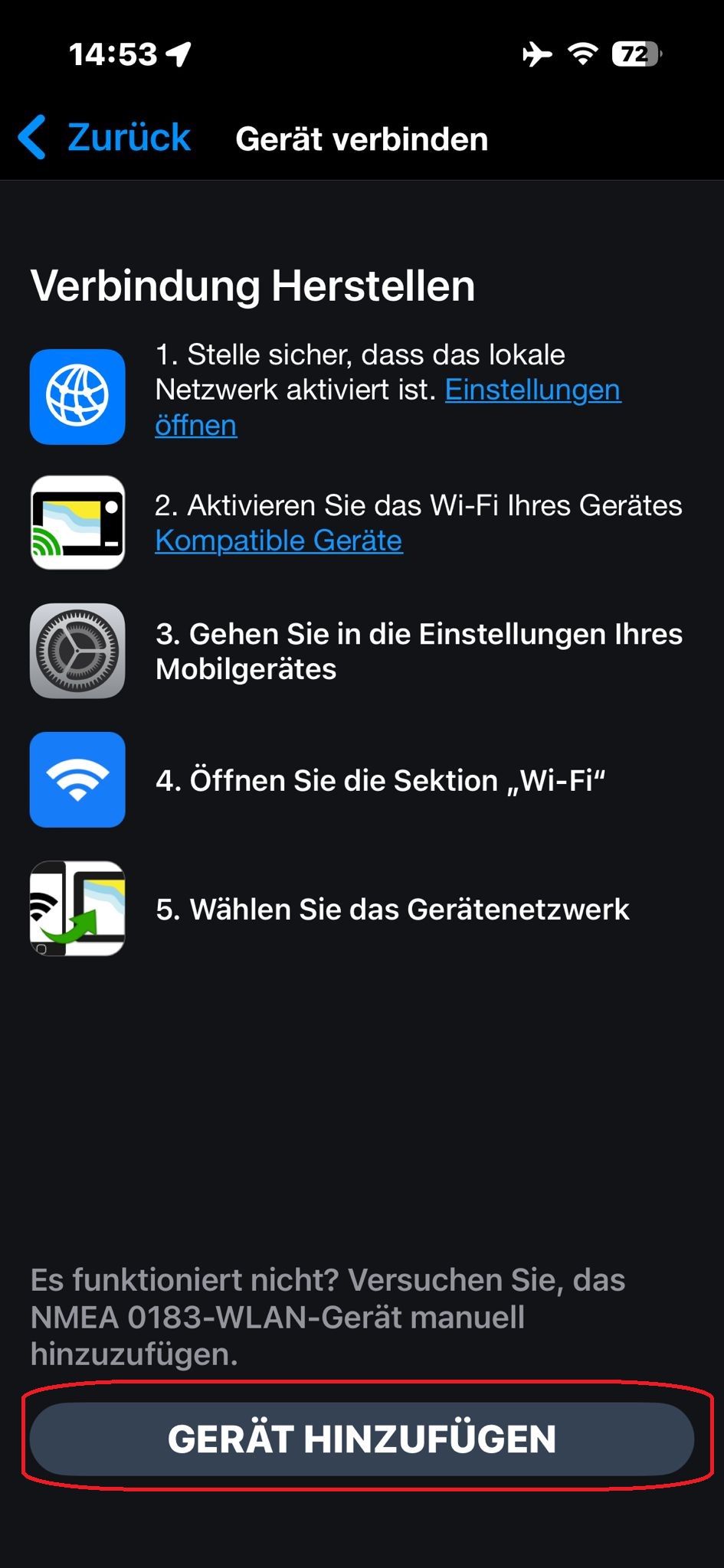
Schritt 3 – Auf „Gerät hinzufügen“ klicken
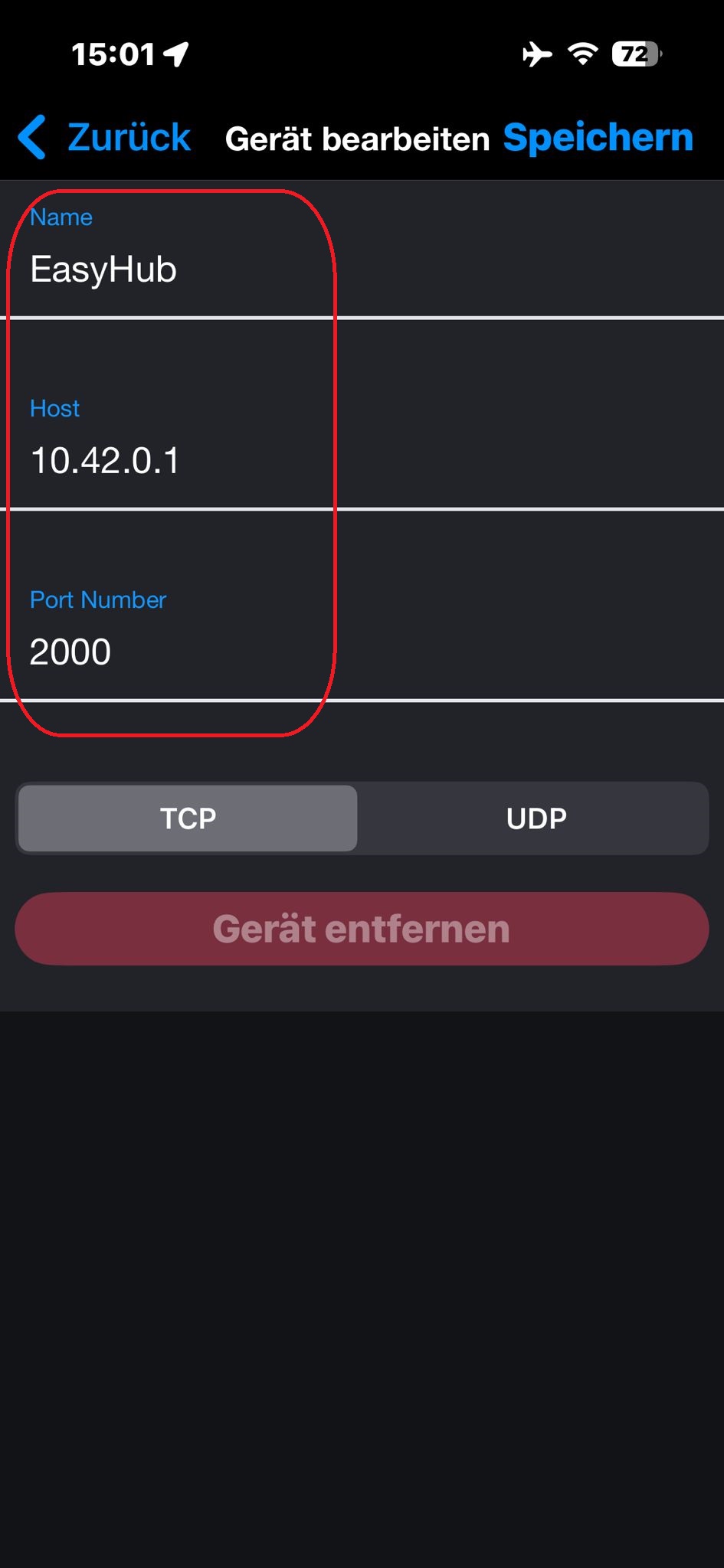
Schritt 4 – Verbindungseinstellungen hinzufügen; das Beispiel zeigt NMEA0183 im TCP-Modus innerhalb des EasyHub Wi-Fi
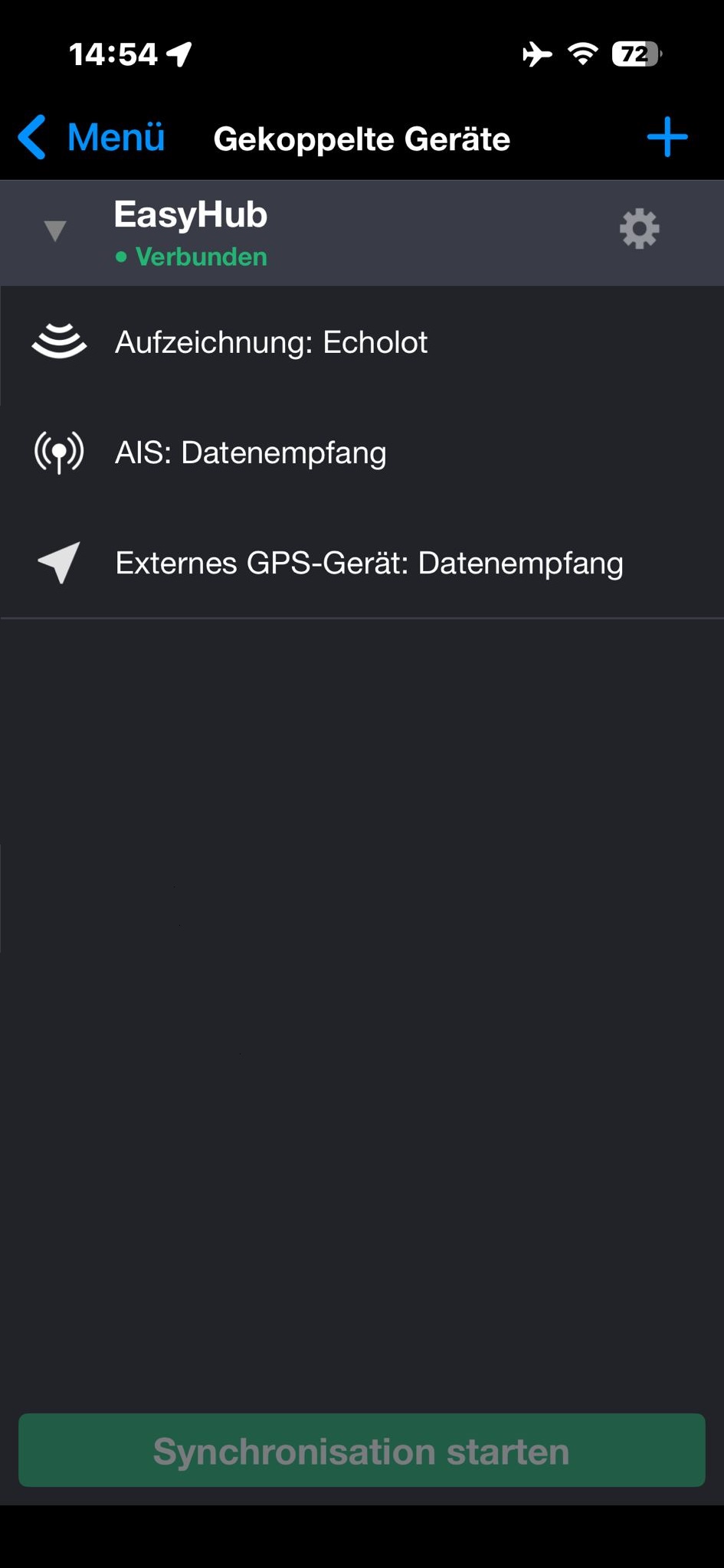
Schritt 5 – Erfolgreich mit deinem Gerät gekoppelt
*Unterstützte NMEA0183-Datensätze verifiziert in der verfügbaren App-Version im Dezember 2025