
Verbinden mit OpenCPN | Hilfe
OpenCPN unterstützt alle relevanten NMEA0183-Datensätze sowie NMEA2000-PGNs und ist die beste Open-Source-Plotter-Software für fast alle Plattformen.
Um eine Verbindung in OpenCPN hinzuzufügen, öffne das Einstellungen-Menü, gehe zum Reiter „Verbindungen“ und wähle „Verbindung hinzufügen“. Gib die TCP/UDP-Details (von dieser Seite) ein und wähle den NMEA0183- oder NMEA2000-Modus für deine bevorzugte WLAN-Verbindung von oben aus.
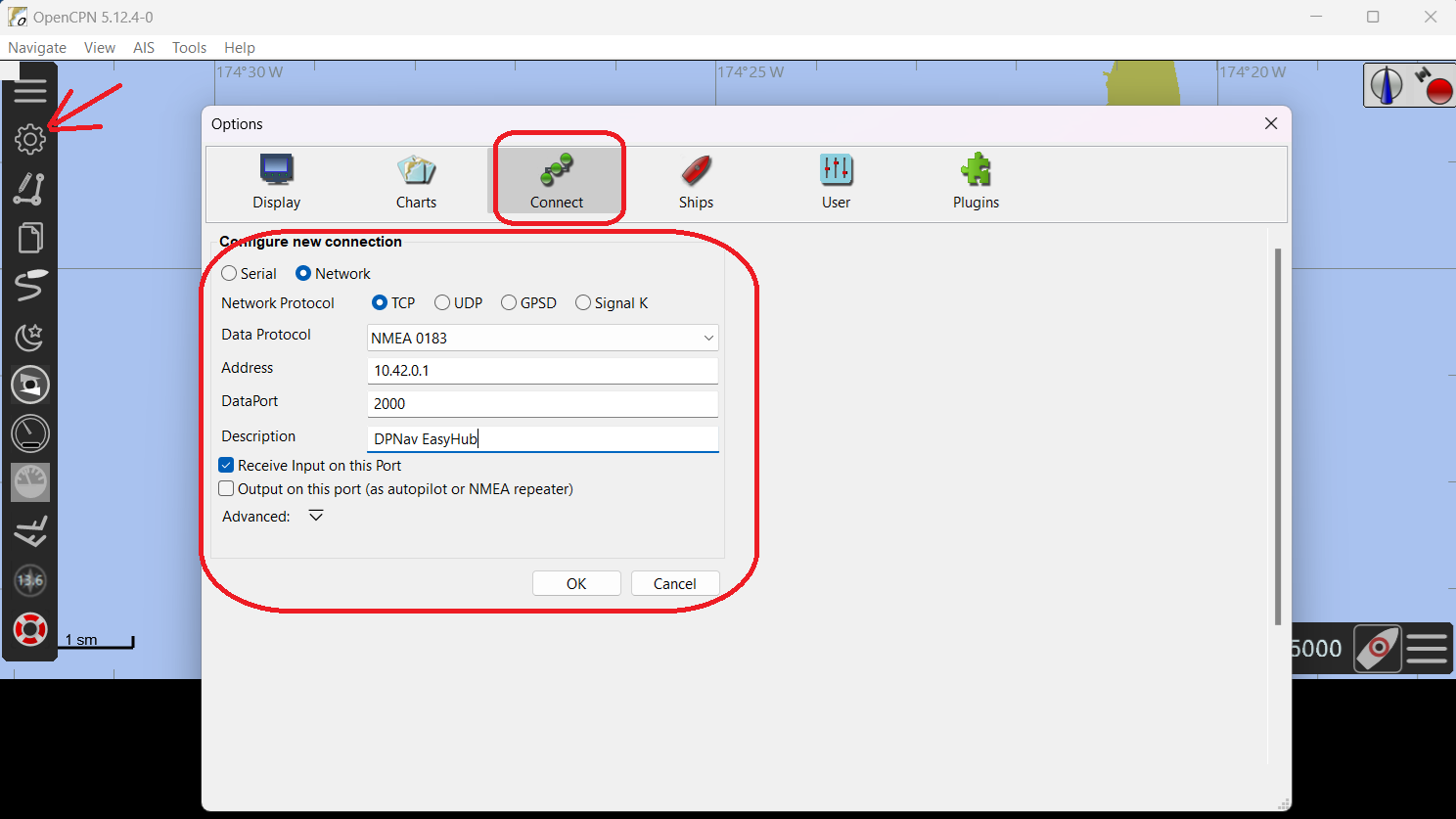
Beispiel-Einstellungen für NMEA0183 im TCP-Modus innerhalb des EasyHub WLANs
Klicke auf OK, um zur vorherigen Übersicht aller Verbindungen zurückzukehren. Stelle sicher, dass die Verbindung durch das Häkchen am Anfang der Zeile aktiviert ist. Wenn die Kopplung erfolgreich war, siehst du ein Häkchen ✅︎ in der Spalte „Status“.
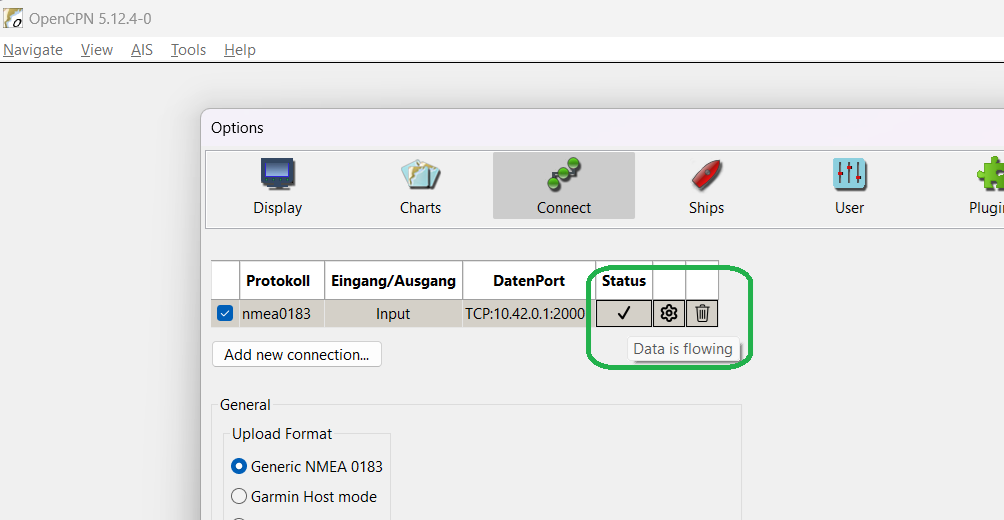
Erfolgreich mit deinem Gerät gekoppelt
Du solltest deine Bootsdaten sofort in der Instrumentenanzeige sehen.
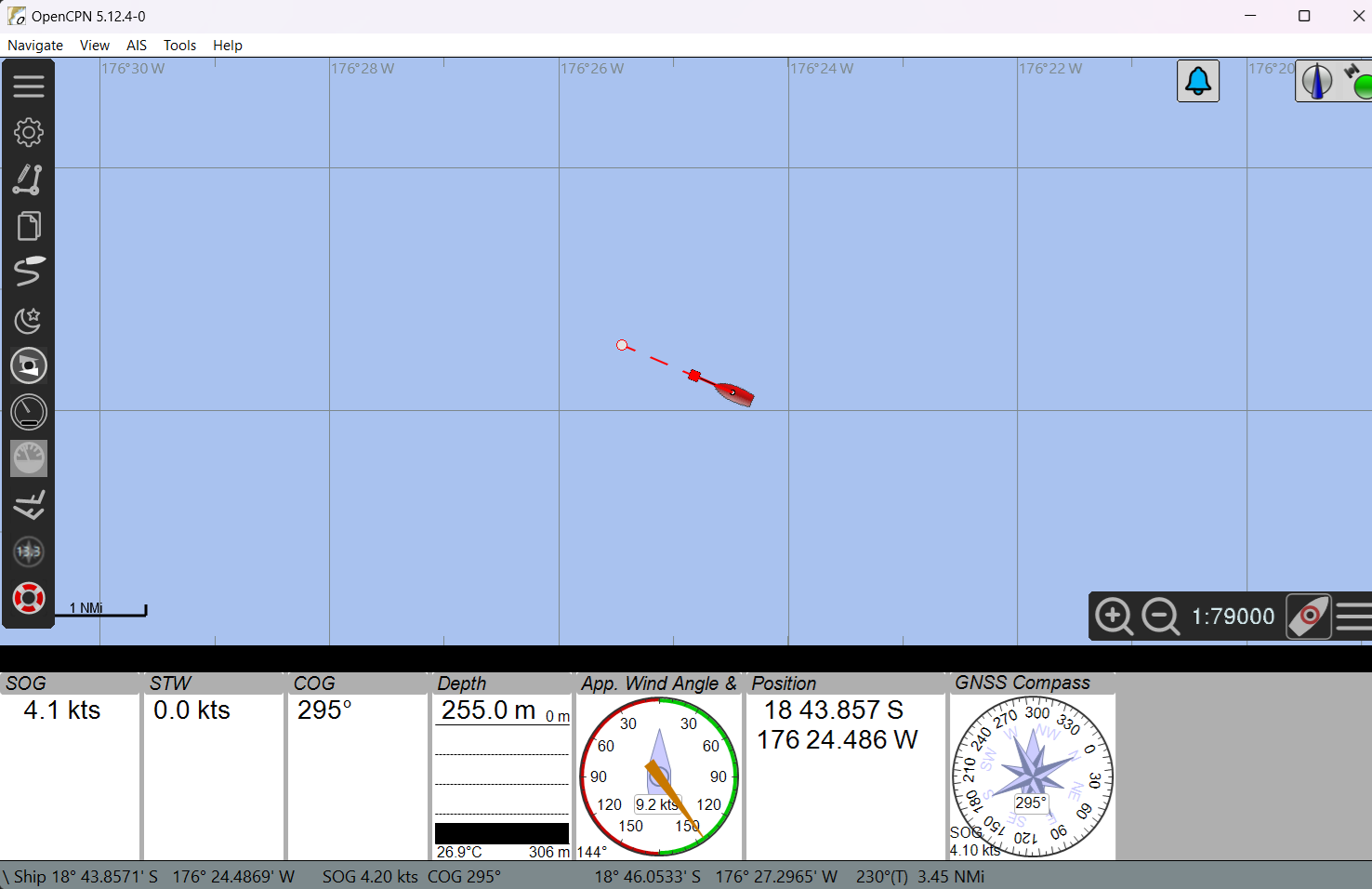
Bootsdaten werden empfangen